


Where it is
ScreenStrategy and portfolio, Holdings tabBasic
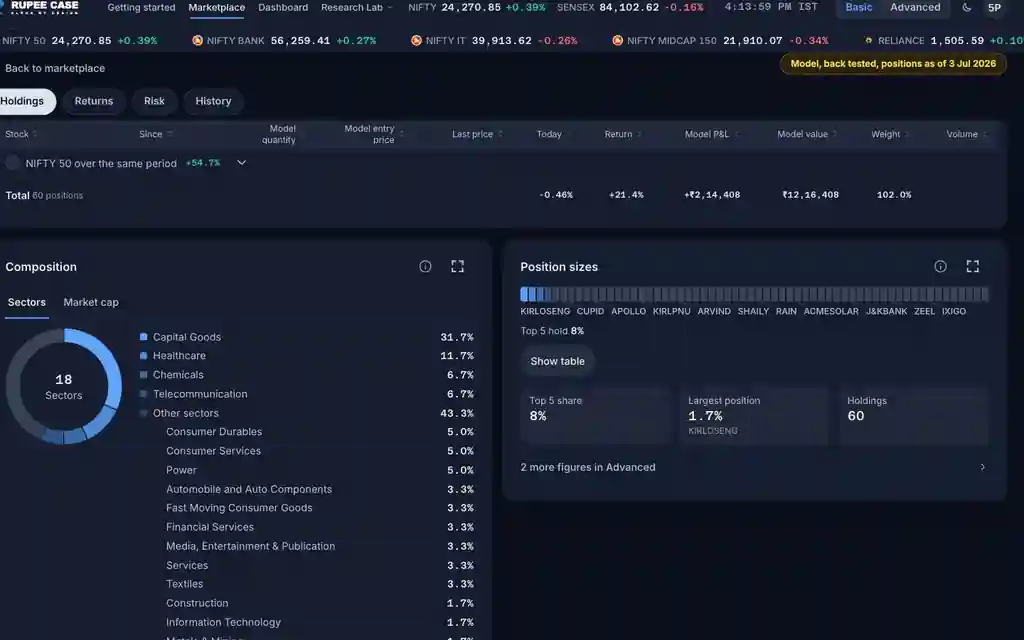
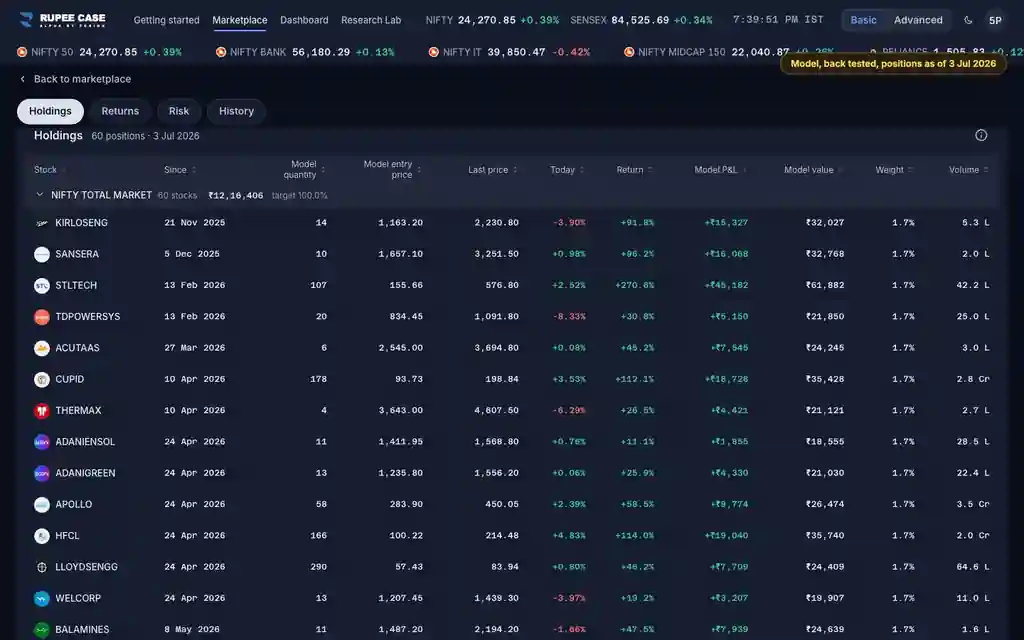
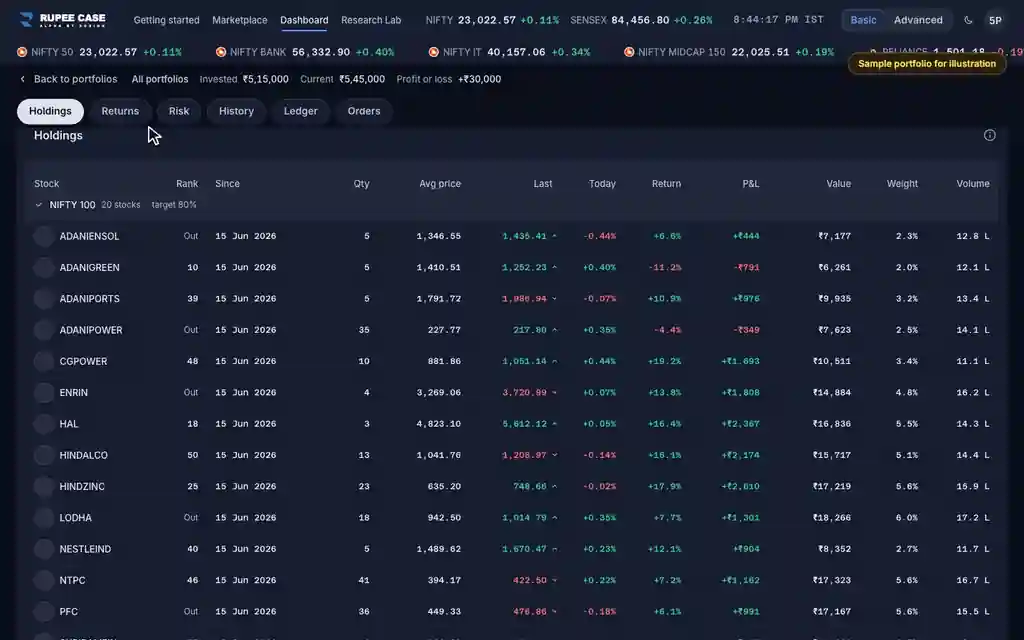
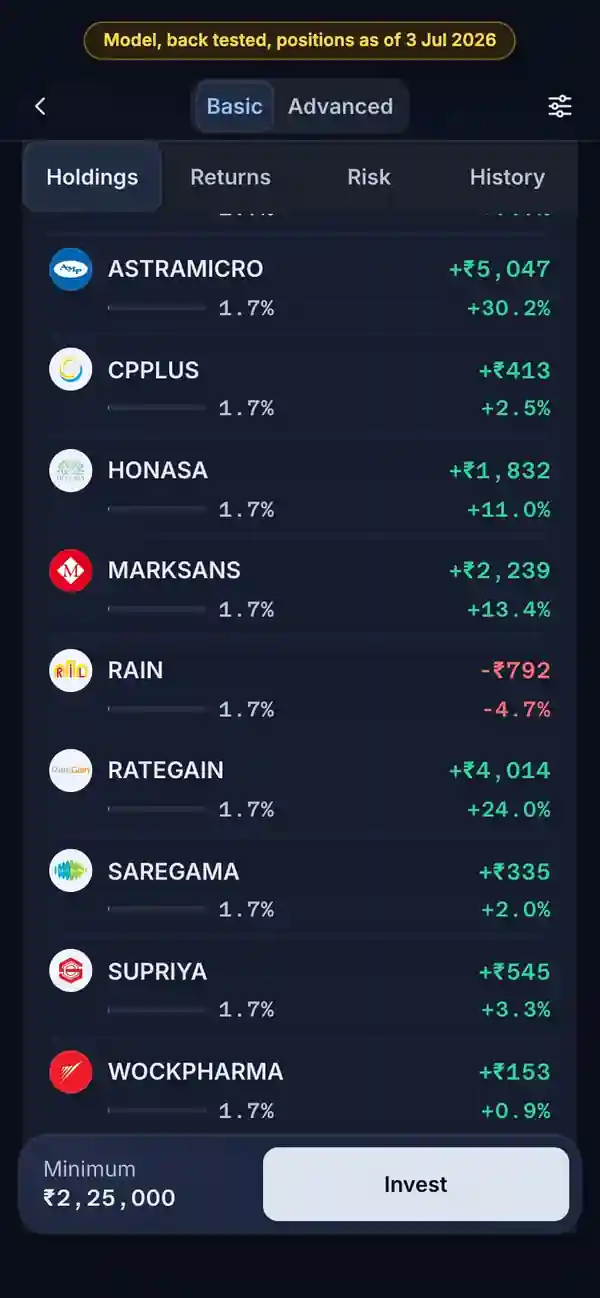
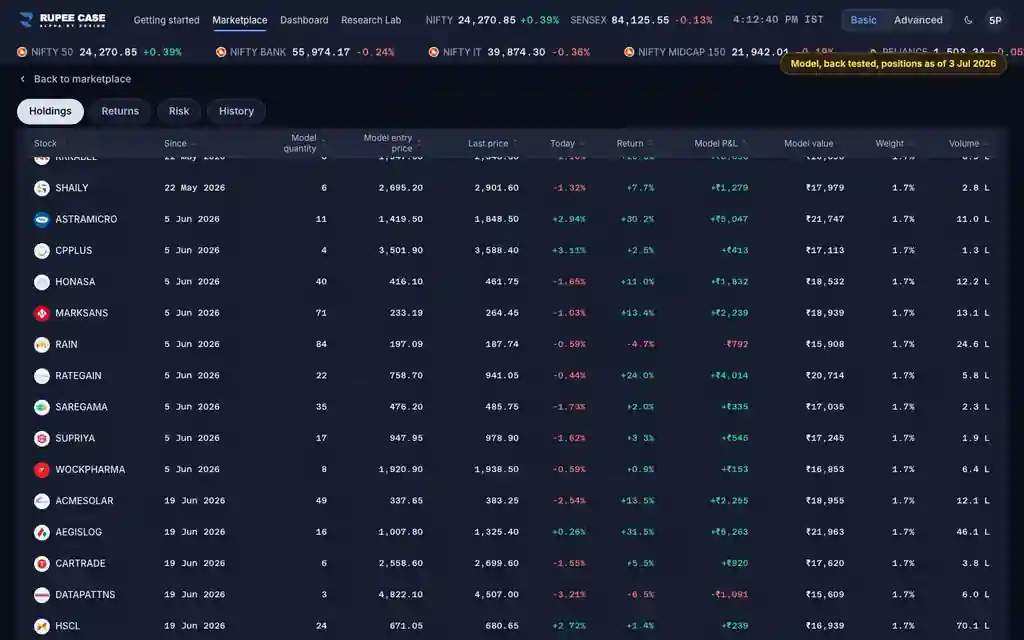
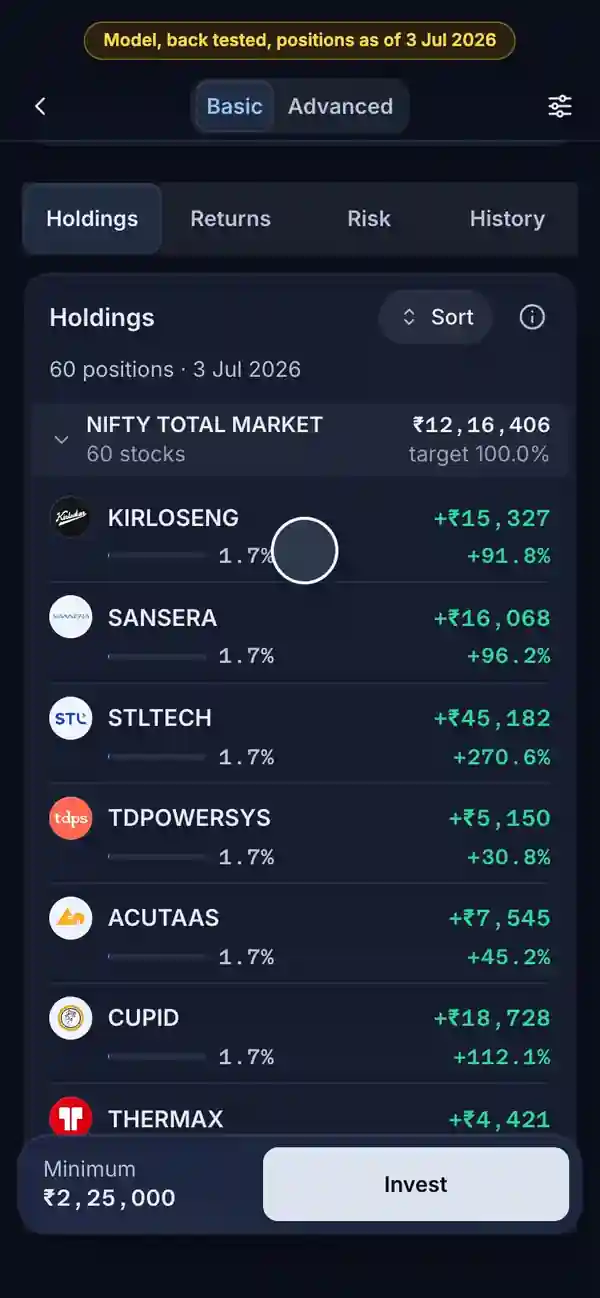
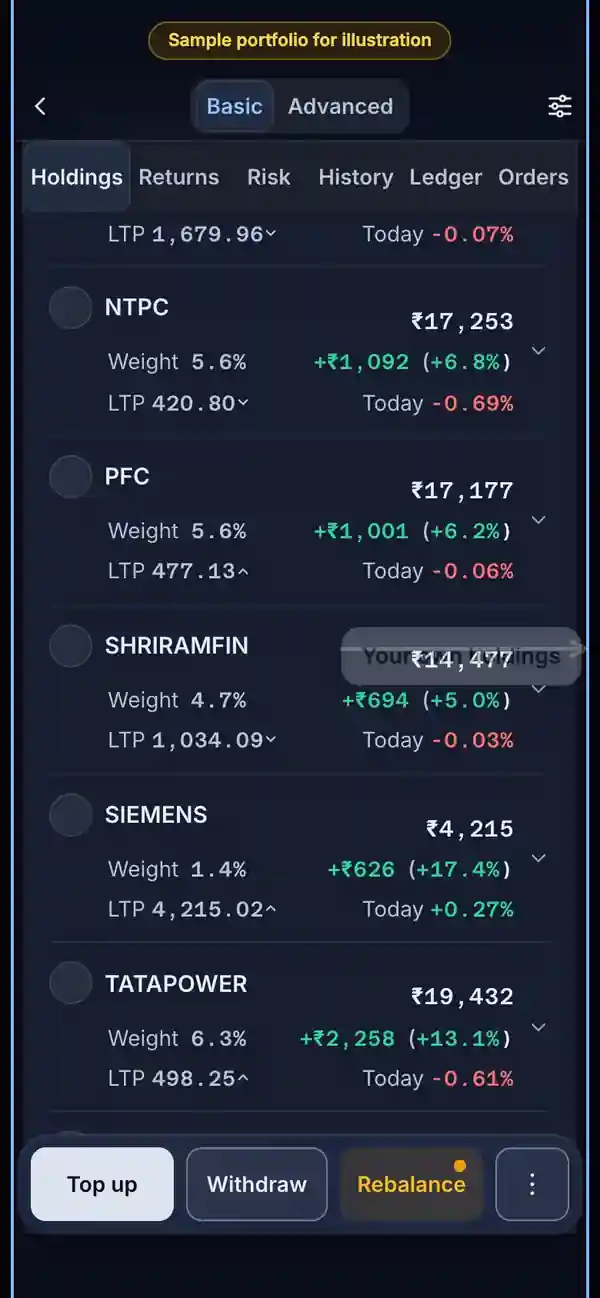
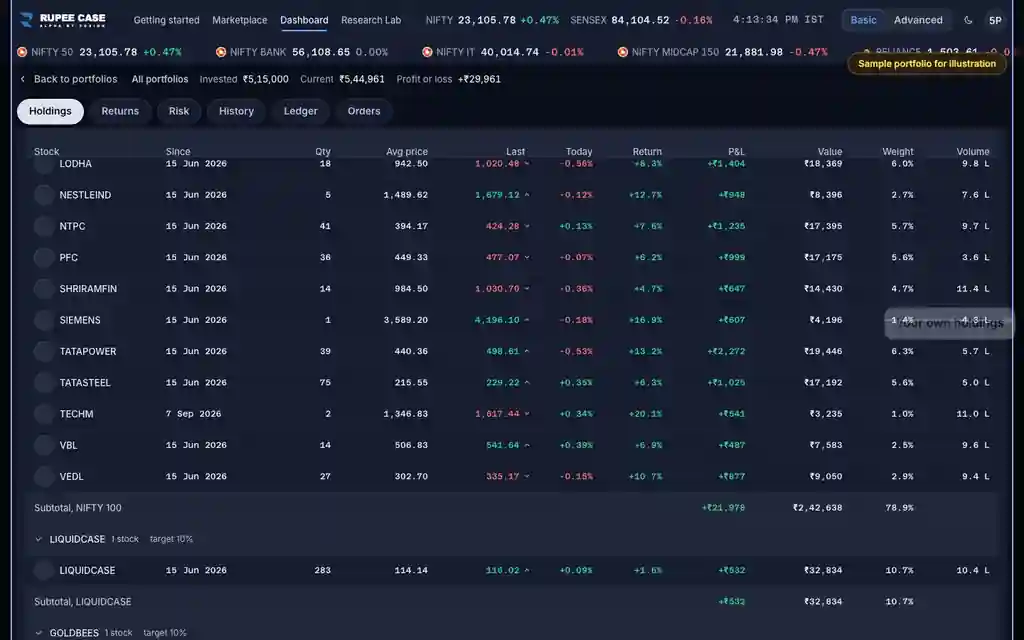
The Holdings tab of a strategy page (the model's positions on Rs 10,00,000) and of a portfolio (your own holdings). On a phone a row opens a sheet with every column; a wider screen shows the whole table. Columns (Advanced) hides or shows columns.
Indices in this video: Allcap (strategy page) and Large Cap Multi Asset (the sample portfolio).
What it means
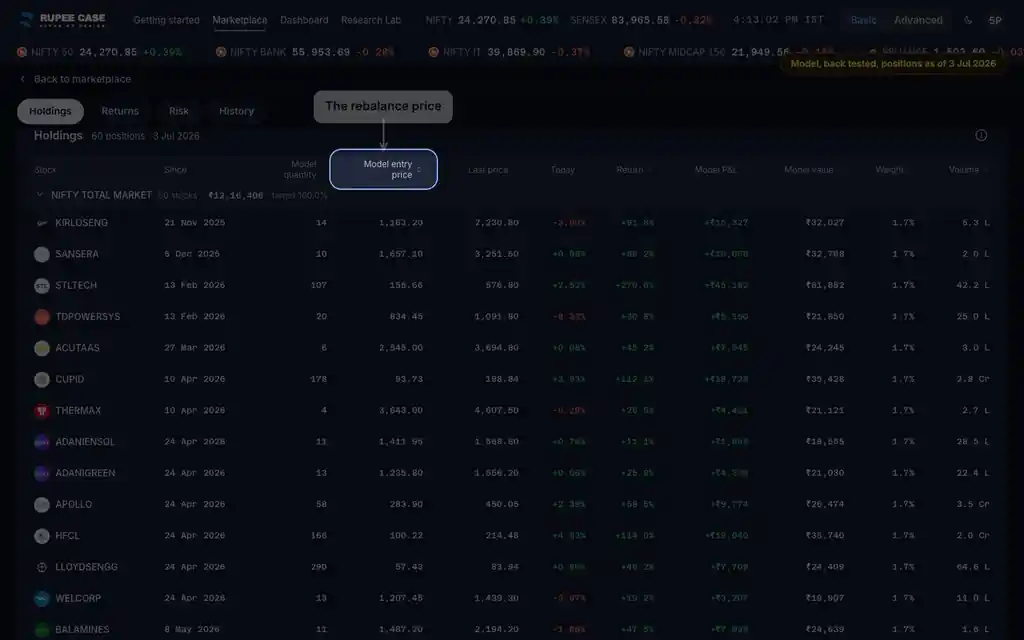
On a strategy page the rows are the model: each position is a weight of a notional Rs 10,00,000, bought at the model entry price on the rebalance date in Since. Model quantity is the whole shares that weight buys. Return is the last price against the entry price; Model P&L and Model value are that return on the position's share of Rs 10,00,000. On a portfolio the rows are yours: Quantity, Average buy price, Return against it, P&L and Position value, and Weight is the share of the portfolio's value with cash counted. Last price, Today and Volume are market figures.
The formula
Return is the last price over the entry (or average buy) price, minus one. Model P&L is the weight times Rs 10,00,000 times that return. On a portfolio, a weight is the position's value over holdings plus cash.
Model quantity = floor(weight x Rs 10,00,000 / model entry price)
Return = last price / model entry price - 1 (portfolio: / average buy price - 1)
Model P&L = weight x Rs 10,00,000 x return; Model value = weight x Rs 10,00,000 x (1 + return)
Portfolio weight = position value / (holdings value + cash)
Last price: live when the feed has one, else the last weekly close
Worked example
Example only
- Weight 2%: Rs 20,000 of the Rs 10,00,000 model
- Entry Rs 400, last price Rs 460: 460 / 400 - 1 = +15%
- Model quantity 20,000 / 400 = 50 shares; Model P&L Rs 3,000
How to read it
- Since is the rebalance that opened the position; on a portfolio a top up does not reset it.
- The benchmark row reads the index beside the holdings; on a strategy page it covers the full history.
- Today and Volume are market figures, not part of the model history.
Watch out
- The model entry price is the rebalance price, not what any investor paid.
- Portfolio weights count cash, so the stock rows add to less than 100 percent.
- The Last price tip says weekly close; the cell shows a live price when there is one.
Transcript
Tap Sound on for voice and music. These are the captions of the video, chapter by chapter.
- 0:00Where it is. Holdings opens on the model's positions on Rs 10,00,000.
- 0:09What it means. A row opens every column: Since, model quantity, entry and last price.
- 0:30Worked example. Worked example, example only: Weight 2%: Rs 20,000 of the Rs 10,00,000 model. Entry Rs 400, last price Rs 460: 460 / 400 - 1 = +15%. Model quantity 20,000 / 400 = 50 shares; Model P&L Rs 3,000.
- 0:36How to read it. On a portfolio the rows are yours, at your average buy price.
- 0:50Watch out. Watch out: The model entry price is the rebalance price, not what any investor paid. Portfolio weights count cash, so the stock rows add to less than 100 percent. The Last price tip says weekly close; the cell shows a live price when there is one.
Terms in this tutorial
- Average buy priceThe average price paid for the shares you hold.
- Last priceThe most recent price a stock traded at.
- WeightA holding's share of the whole portfolio, in percent.
- VolumeThe number of shares traded on the exchange today.
- Model positionsThe holdings of the model portfolio on a notional ₹10,00,000: how many shares each weight bought at the entry price, what they are worth now and what they made.
- Notional ₹10,00,000A round pretend amount the app uses to turn model percentages into rupees.