


Where it is
ScreenDashboard and PortfolioBasic
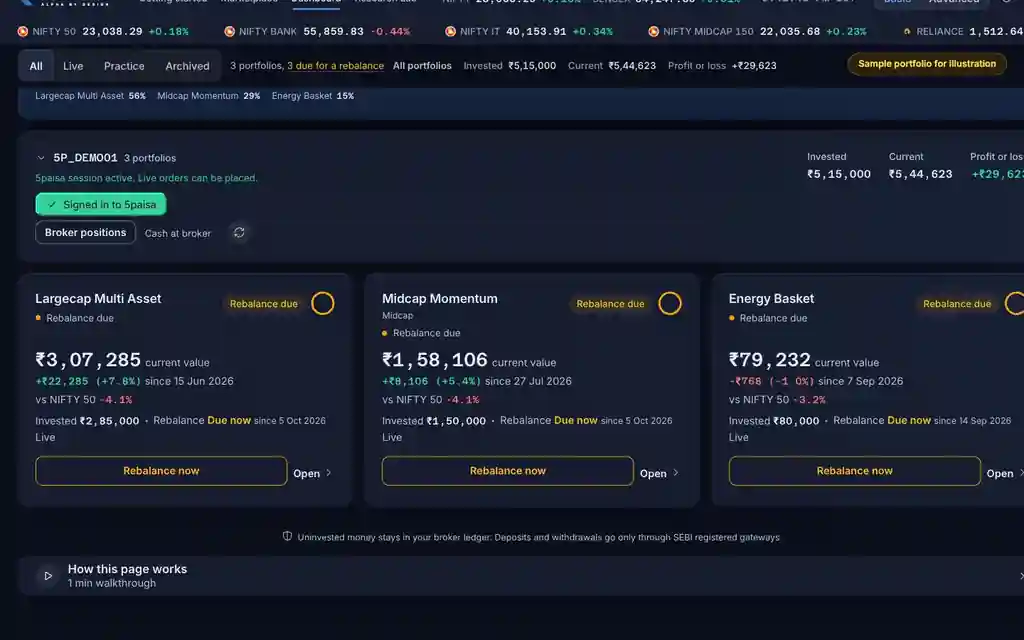
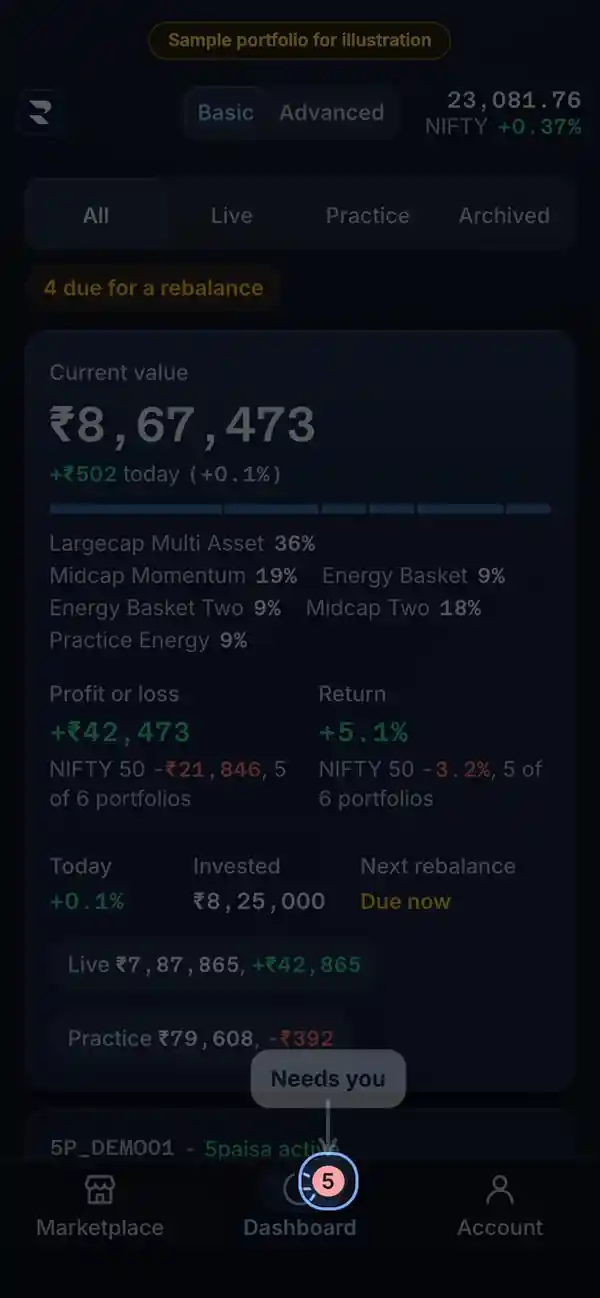
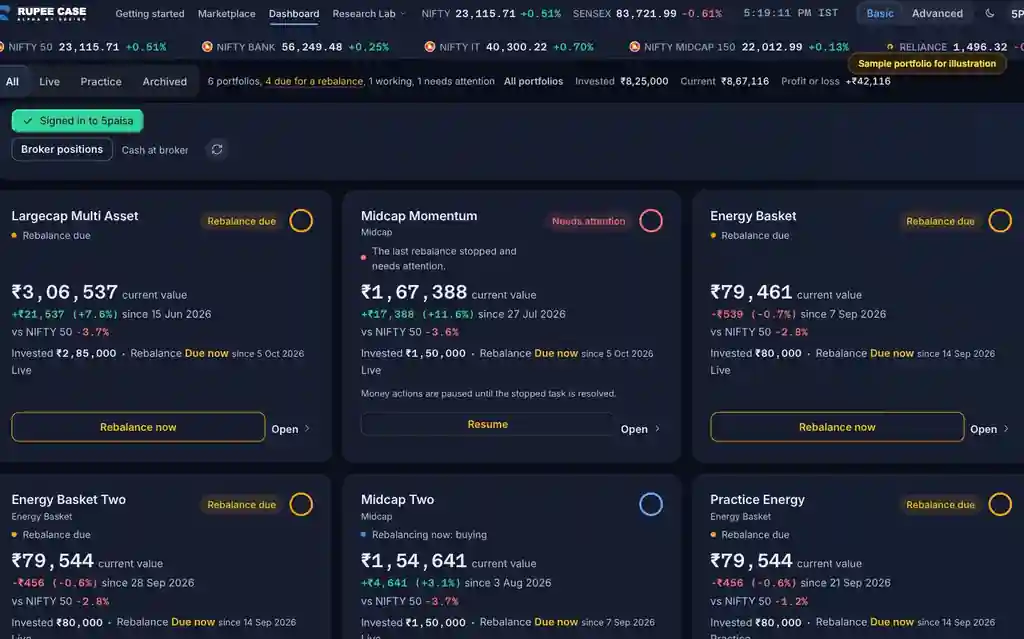
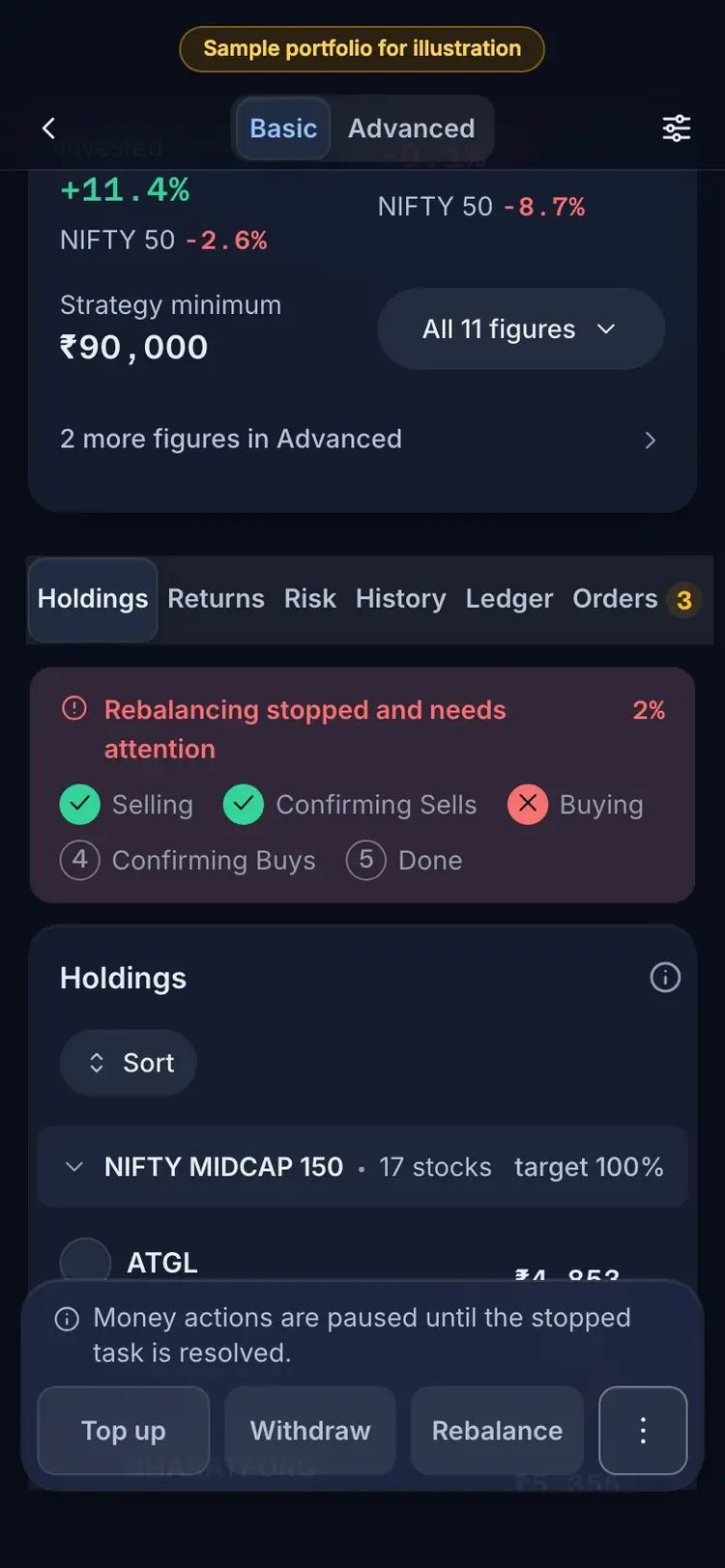
The Dashboard card (status line and the red Needs attention pill), the Dashboard count line, the badge on the Dashboard tab of the phone tab bar, and the progress panel at the top of the portfolio.
Index in this video: Midcap (strategy page).
What it means
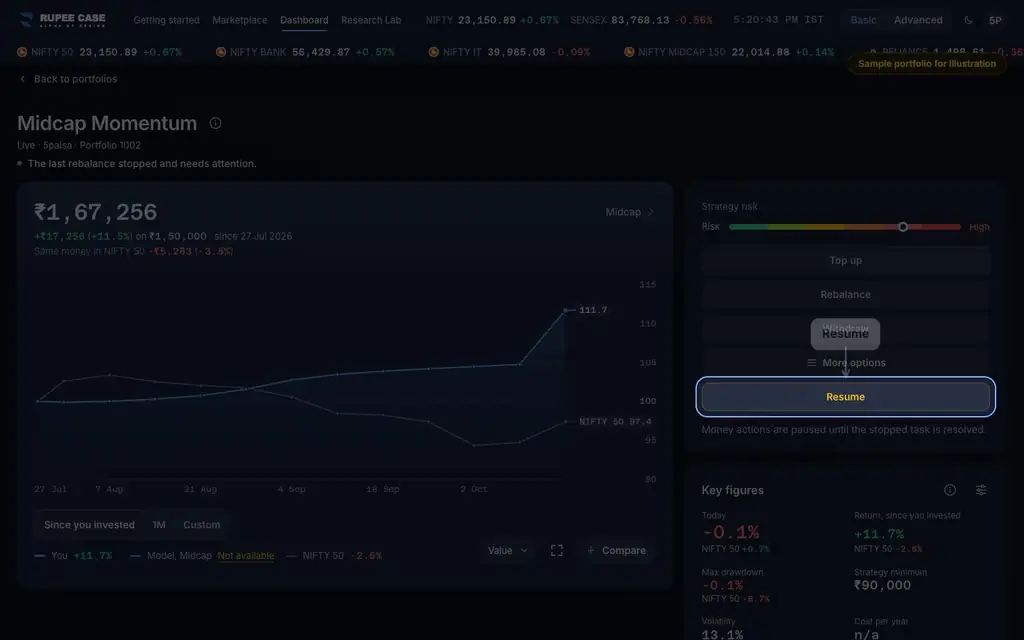
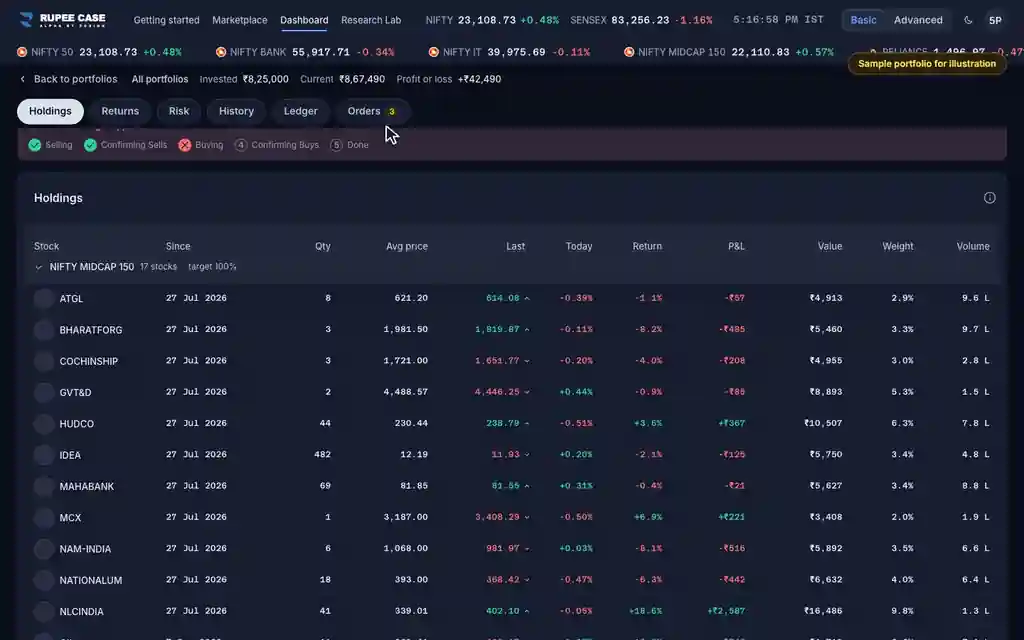
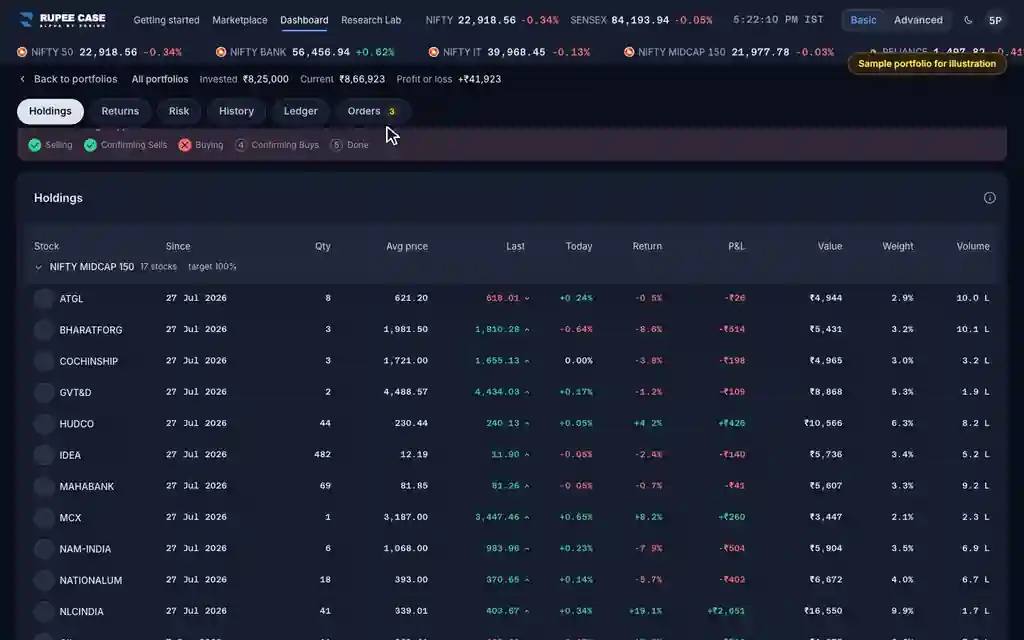
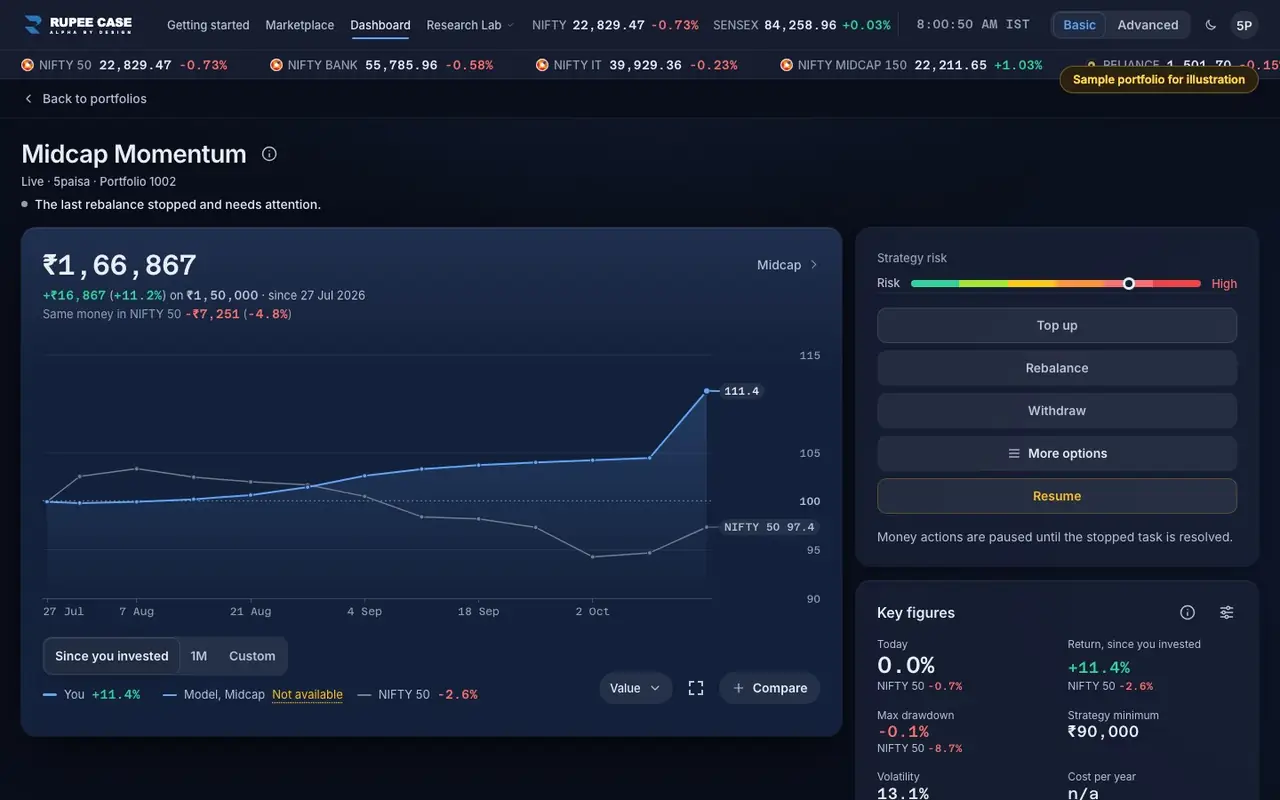
When a task stops, the card says which one: "The last rebalance stopped and needs attention.", "The last investment stopped and needs attention." or "The last withdrawal stopped and needs attention.". Top up, Withdraw and Rebalance are then paused: "Money actions are paused until the stopped task is resolved." The portfolio shows the steps of the task (for a rebalance: Selling, Confirming Sells, Buying, Confirming Buys, Done) with a cross on the step where it stopped, and a Resume button. While a task runs, the card reads "Rebalancing now" and the panel counts shares filled.
The formula
The badge counts portfolios that need attention plus rebalances due, across your account. The app checks the status every 5 seconds while a task runs.
Needs attention = the portfolio's last task stopped (investment, rebalance or withdrawal)
Badge = portfolios needing attention + rebalances due
While stopped: Top up, Withdraw and Rebalance are paused; Resume is offered
Worked example
Example only
- 3 portfolios: 1 rebalance stopped, 1 rebalance due
- The Dashboard tab badge reads 2
- The stopped one reads Needs attention; the other reads Rebalance due
How to read it
- A red pill is Needs attention; an amber pill is Rebalance due.
- The cross in the progress panel marks the step that stopped.
- "Rebalancing now" with a share count means it is still working; give it time.
Watch out
- There is no push alert in the app for a stopped task; open the Dashboard to see it.
- For a Live rebalance that stopped or did not start, RupeeCase can email you on Tuesday to Thursday at 10:00 IST.
- The badge sits on the phone tab bar; on a desktop, read the Dashboard count line.
Transcript
Tap Sound on for voice and music. These are the captions of the video, chapter by chapter.
- 0:00Where it is. The Dashboard tab counts what needs you.
- 0:13What it means. Top up, Withdraw and Rebalance pause until it is resolved.
- 0:40Worked example. Worked example, example only: 3 portfolios: 1 rebalance stopped, 1 rebalance due. The Dashboard tab badge reads 2. The stopped one reads Needs attention; the other reads Rebalance due.
- 0:45How to read it. How to read it: A red pill is Needs attention; an amber pill is Rebalance due. The cross in the progress panel marks the step that stopped. "Rebalancing now" with a share count means it is still working; give it time.
- 0:51Watch out. Watch out: There is no push alert in the app for a stopped task; open the Dashboard to see it. For a Live rebalance that stopped or did not start, RupeeCase can email you on Tuesday to Thursday at 10:00 IST. The badge sits on the phone tab bar; on a desktop, read the Dashboard count line.
Terms in this tutorial
- Needs attentionA flag that the last action on a portfolio, an investment, rebalance or withdrawal, stopped before it finished, for example because an order did not go through.
- Rebalance dueA flag that a portfolio has reached its scheduled rebalance date.
- Top upAdding money to a portfolio you already run.
- WithdrawTaking money out of a portfolio by selling holdings.