


Where it is
ScreenDashboardBasic
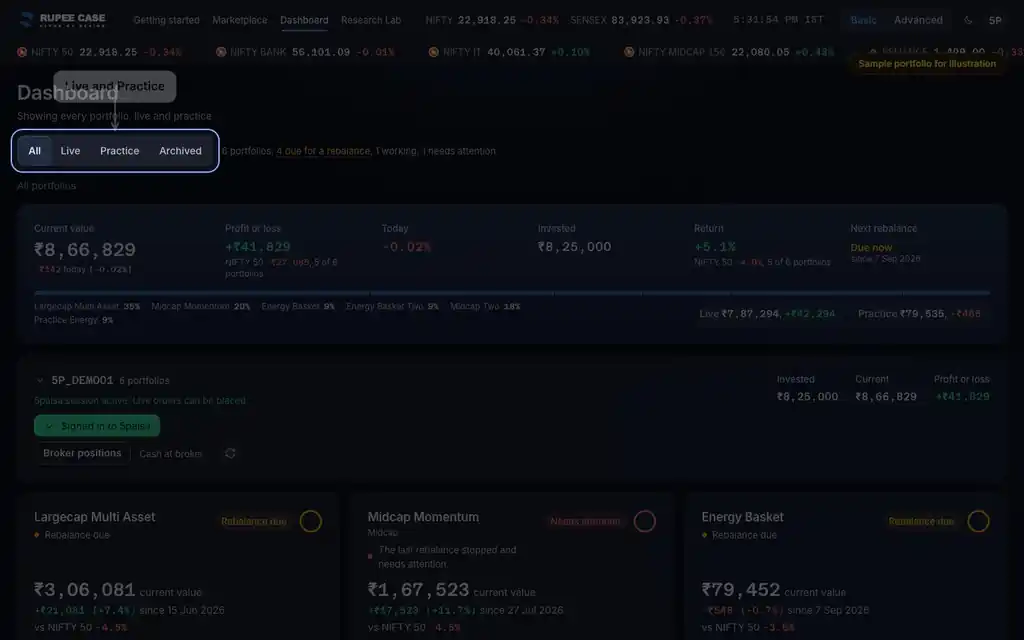
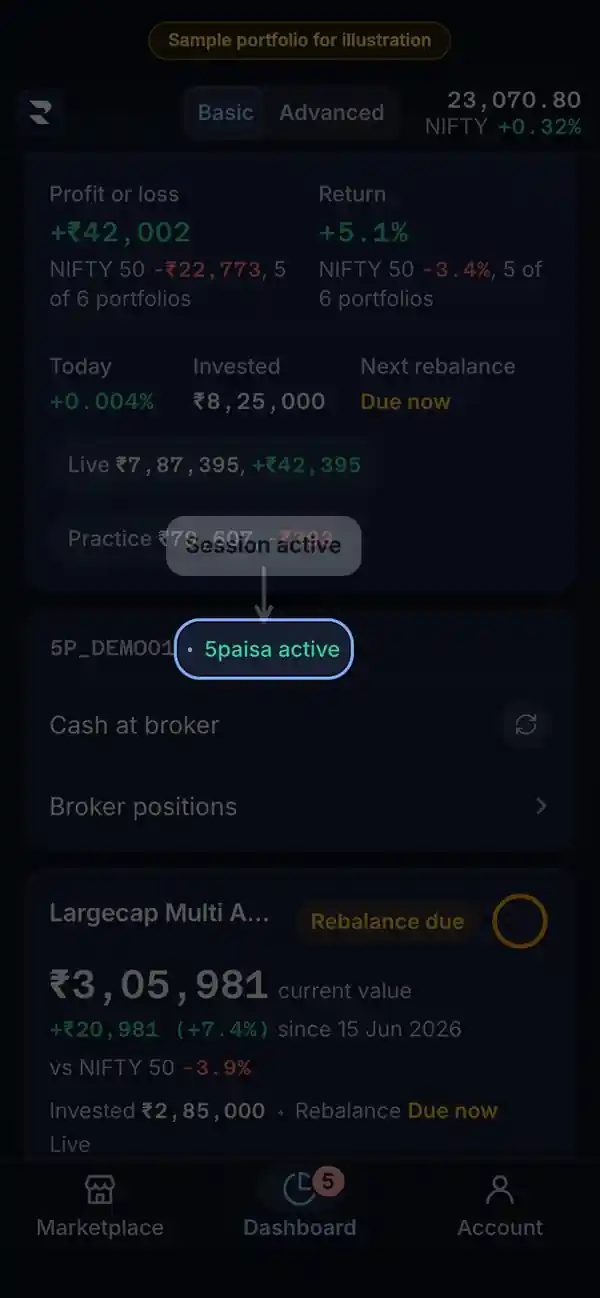
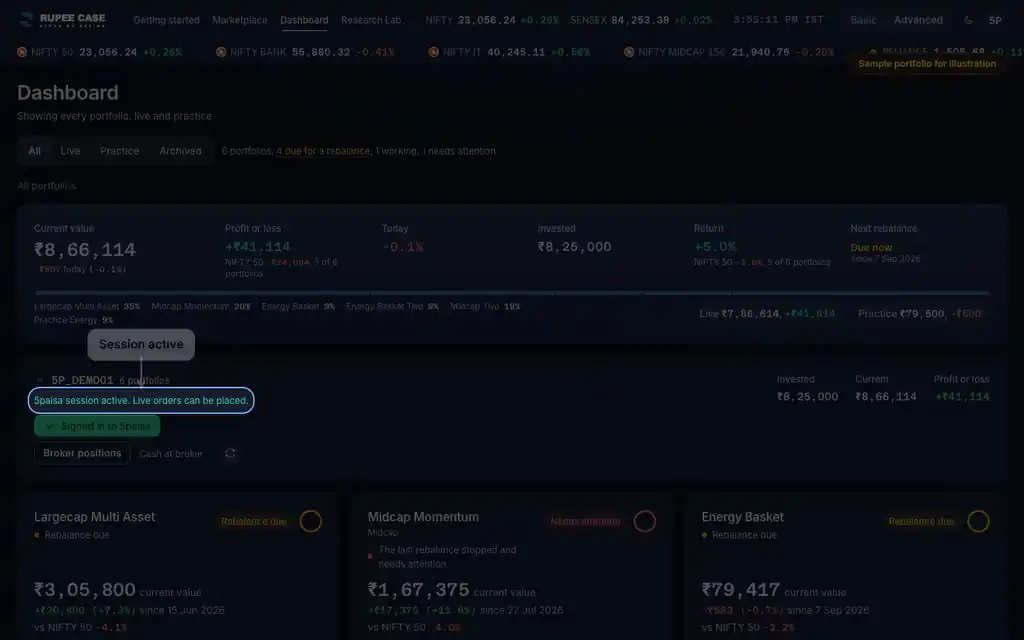
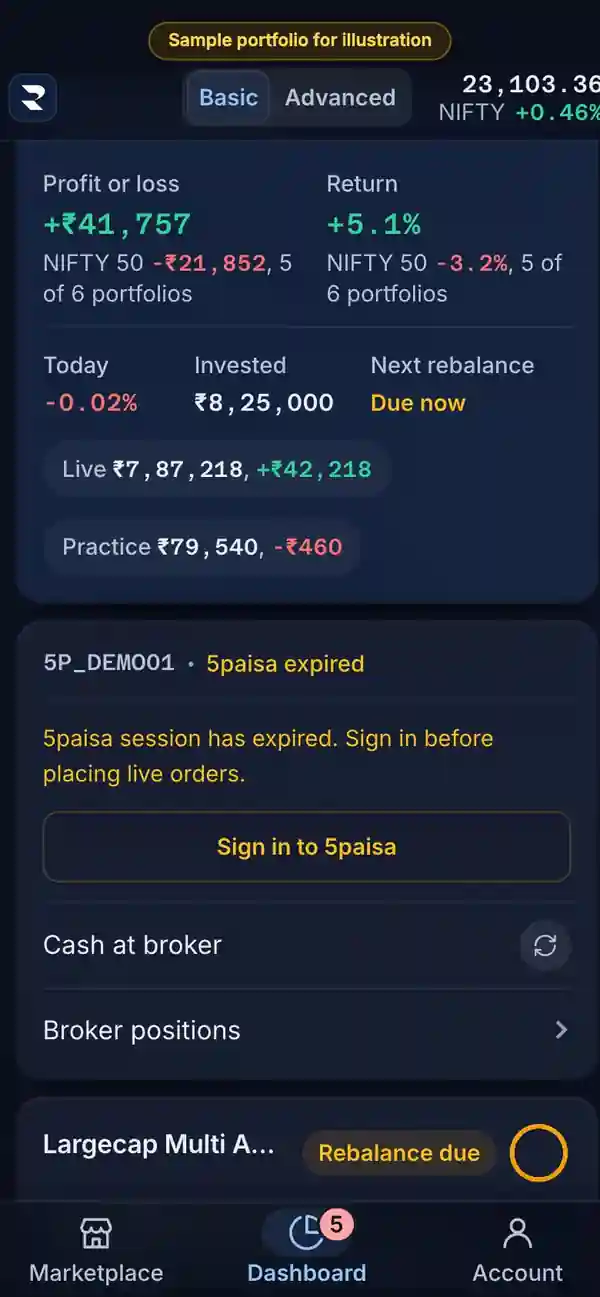
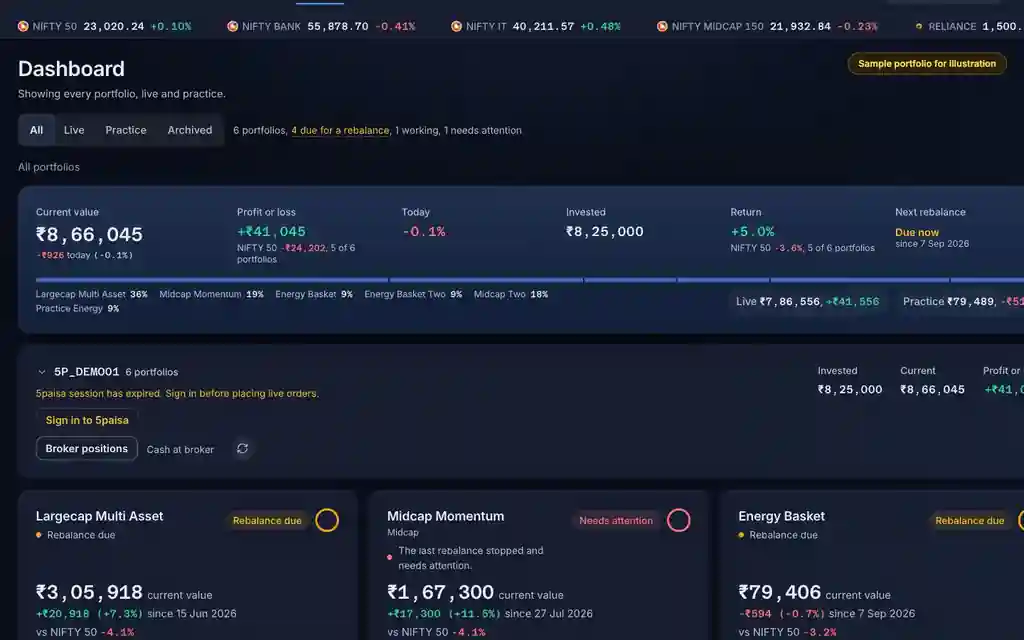
The account row at the top of the Dashboard: a green "Signed in to 5paisa" button when the session is active, an amber "Sign in to 5paisa" when it has expired. On a phone the title row says "5paisa active" or "5paisa expired".
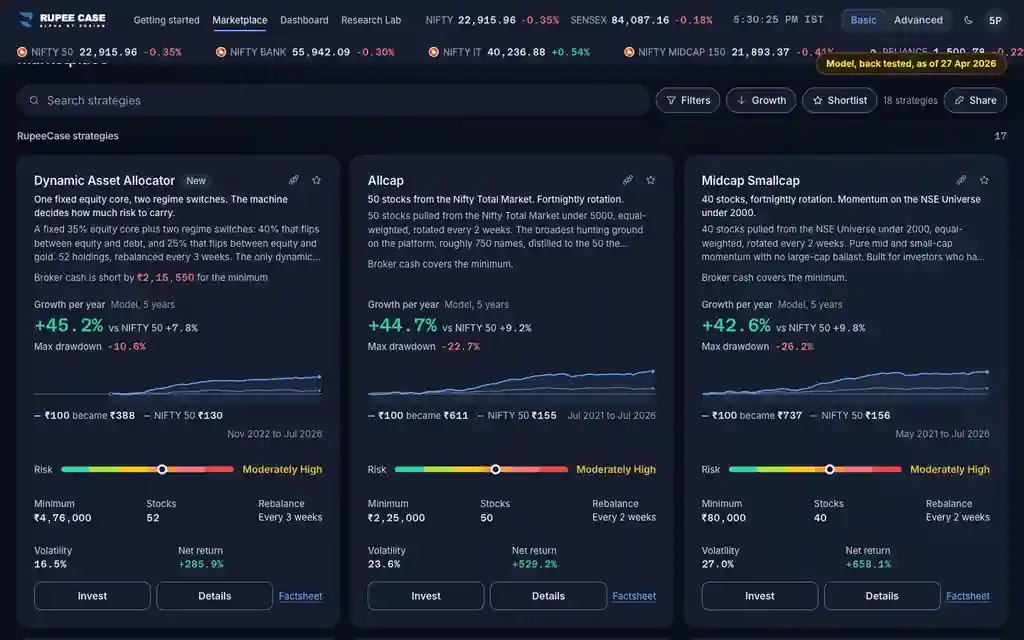
The app lists every RupeeCase index; each has its own page. See all 18 in one table.
What it means
RupeeCase places Live orders through your broker session, and brokers ask for a fresh login every trading day (a 5paisa session ends at midnight). Expired reads "5paisa session has expired. Sign in before placing live orders." Sign in to 5paisa takes you to the broker's own login and back. If an order needs the broker while the session has expired, the app shows "Sign in required: Your 5paisa session has expired." with Sign in now, or the task stops and the portfolio reads Needs attention.
The formula
Active = a broker login from today. The invest sheet lists only brokers with an active session for Live.
5paisa: active only on the day you signed in (India time)
Expired: amber Sign in to 5paisa; a Live task that meets it stops (Needs attention)
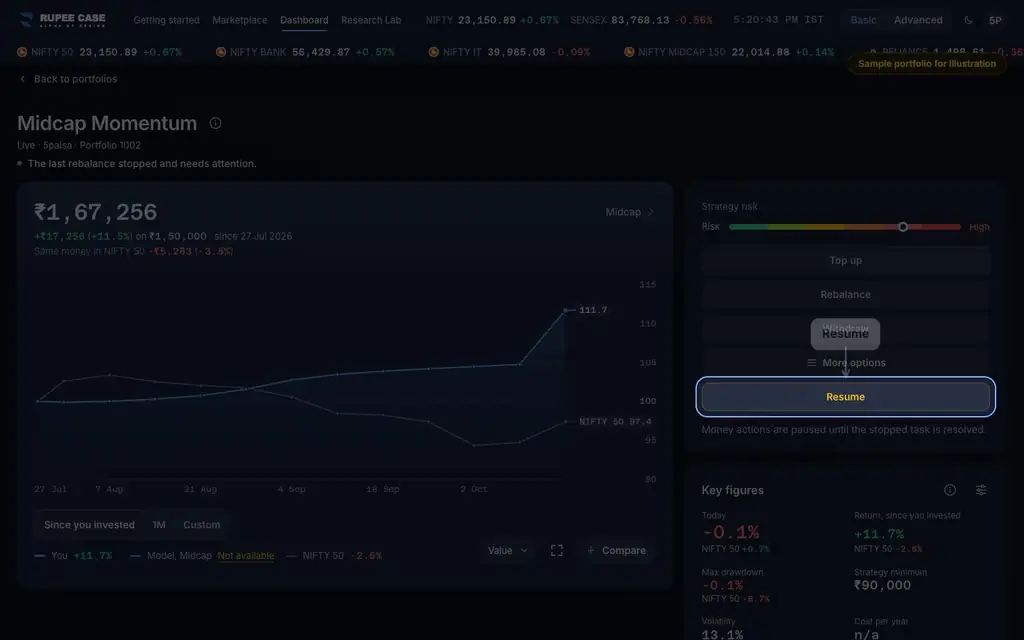
After signing in: Resume the stopped task
Worked example
Example only
- Signed in at 9:30 on Monday: active all Monday
- Tuesday 9:25: the row reads 5paisa session has expired
- Sign in to 5paisa, then Resume Monday's stopped task
How to read it
- Green "Signed in to 5paisa" can be tapped to refresh the session.
- "Only brokers with active sessions are shown for live mode" on the invest sheet.
- Practice needs no broker session.
Watch out
- A Live investment can be accepted and then stop in the background if the session has expired; check the Dashboard after.
- Sign in on the broker's own page only; RupeeCase never asks for your broker password.
- After signing in, a stopped task does not restart by itself; tap Resume.
Transcript
Tap Sound on for voice and music. These are the captions of the video, chapter by chapter.
- 0:00Where it is. Your broker session shows at the top of the Dashboard.
- 0:07What it means. Brokers ask for a fresh login every trading day.
- 0:28Worked example. Worked example, example only: Signed in at 9:30 on Monday: active all Monday. Tuesday 9:25: the row reads 5paisa session has expired. Sign in to 5paisa, then Resume Monday's stopped task.
- 0:34How to read it. How to read it: Green "Signed in to 5paisa" can be tapped to refresh the session. "Only brokers with active sessions are shown for live mode" on the invest sheet. Practice needs no broker session.
- 0:40Watch out. Watch out: A Live investment can be accepted and then stop in the background if the session has expired; check the Dashboard after. Sign in on the broker's own page only; RupeeCase never asks for your broker password. After signing in, a stopped task does not restart by itself; tap Resume.
Terms in this tutorial
- Broker sessionThe live link between the app and your broker account after you sign in to the broker.
- LiveA mode that places real buy and sell orders in your own broker account.
- Needs attentionA flag that the last action on a portfolio, an investment, rebalance or withdrawal, stopped before it finished, for example because an order did not go through.